
AI and the Independent Author
Tool or Trouble?
Independent Authors Don't Need to Buy Software
How I create book covers, audiobooks and promotional videos without spending a fortune.
An Independent Author's Approach
Not so many years ago, producing a book was only half the battle. Getting it published, creating a cover, producing an audiobook and making promotional videos could involve considerable expense.
Today, independent authors have access to an extraordinary range of free and inexpensive tools. I know because I use them myself.
I write and publish my own novels, create their covers, prepare audiobooks and produce promotional material for my website and social media.
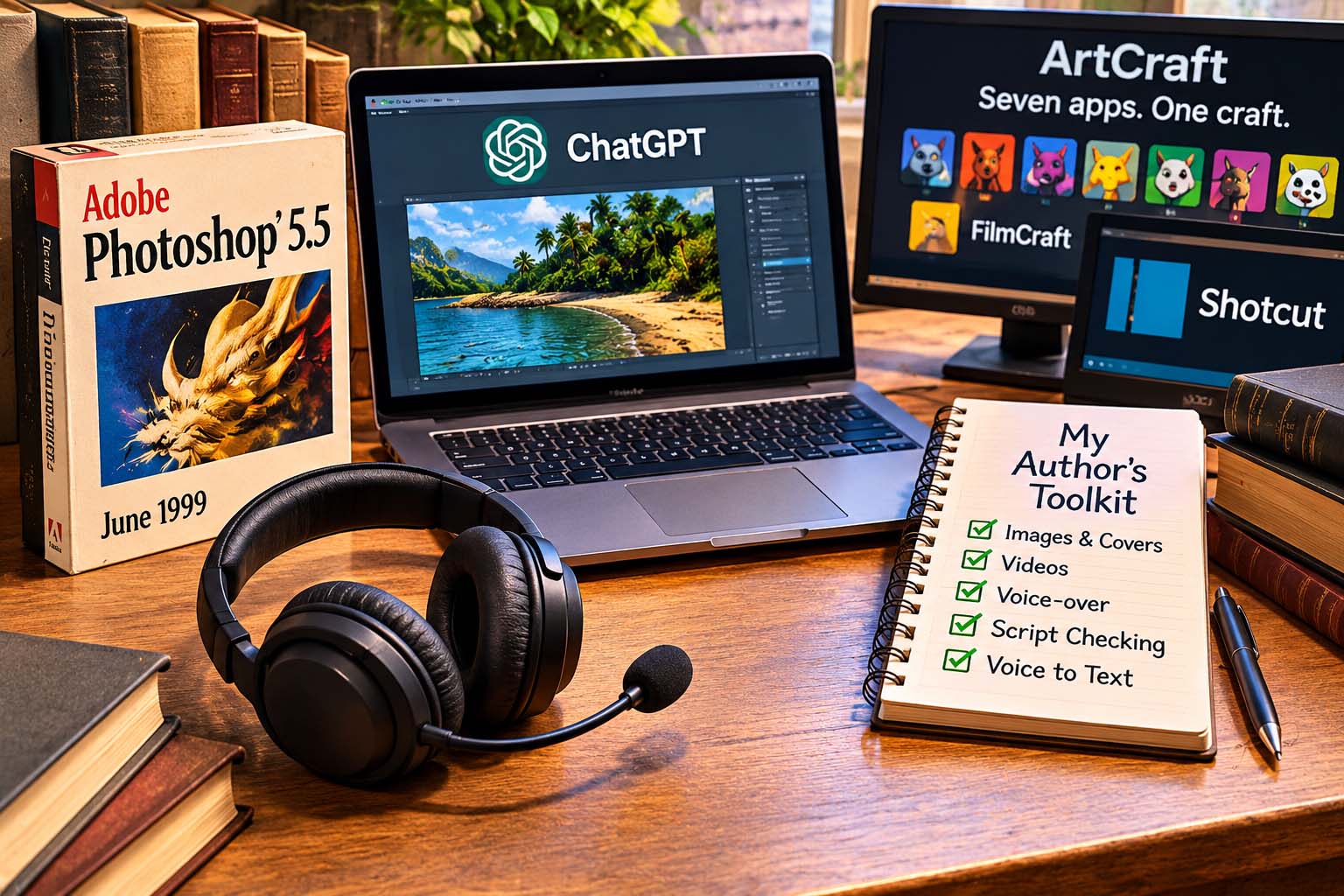
I have just one software subscription, costing £20 a month, and that is ChatGPT. Even this expense isn't essential. I started with the free version myself, and you can still accomplish a great deal without paying, although there are limitations.
My philosophy is simple: why pay for software when free alternatives, or software you already own, can do the job perfectly well?
Here are some of the tools I use, together with a few new ones I'm investigating.
My Old Friend — Adobe Photoshop 5.5
I should confess that I haven't abandoned Adobe altogether.
I still use Adobe Photoshop 5.5, released in June 1999, which I acquired in 2000. More than a quarter of a century later, it is still doing the job I bought it for.
It may lack many of the features found in modern image-editing software, but for cropping, resizing, adjusting images and preparing graphics, it remains perfectly adequate for much of what I need.
And perhaps the best part? I haven't been paying a monthly subscription for the past 26 years!
I'm not suggesting everyone should hunt down a 1999 copy of Photoshop. Modern software offers plenty of advantages, including better compatibility and security.
But it does illustrate a point I've believed for years: if a piece of software does everything you need, why replace it simply because something newer has appeared?
Creating Images and Book Covers — ChatGPT
I use ChatGPT to help produce illustrations, book-cover images and promotional graphics.
Sometimes I start with a description of the image I want. At other times, I supply an existing image and ask for changes — perhaps a different background, improved lighting or a revised composition.
The results aren't always perfect first time. Occasionally, the AI has its own ideas about what I meant!
But with patience and a few adjustments, it can produce images suitable for further editing and use in promotional material.
I often take those images into Photoshop 5.5 for additional work. Old and new technology can make a surprisingly useful combination.
Making Promotional Videos — Shotcut and FilmCraft
Once I have my images, I turn them into short promotional videos.
My established video editor is Shotcut, a free, open-source application. I've used it to create videos for Facebook, YouTube, Instagram and TikTok, combining images, transitions, captions and narration.
I can produce both landscape videos for YouTube and vertical videos for social media, without paying for expensive video-editing software.
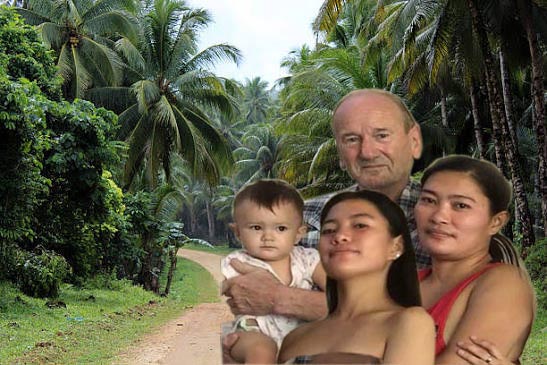
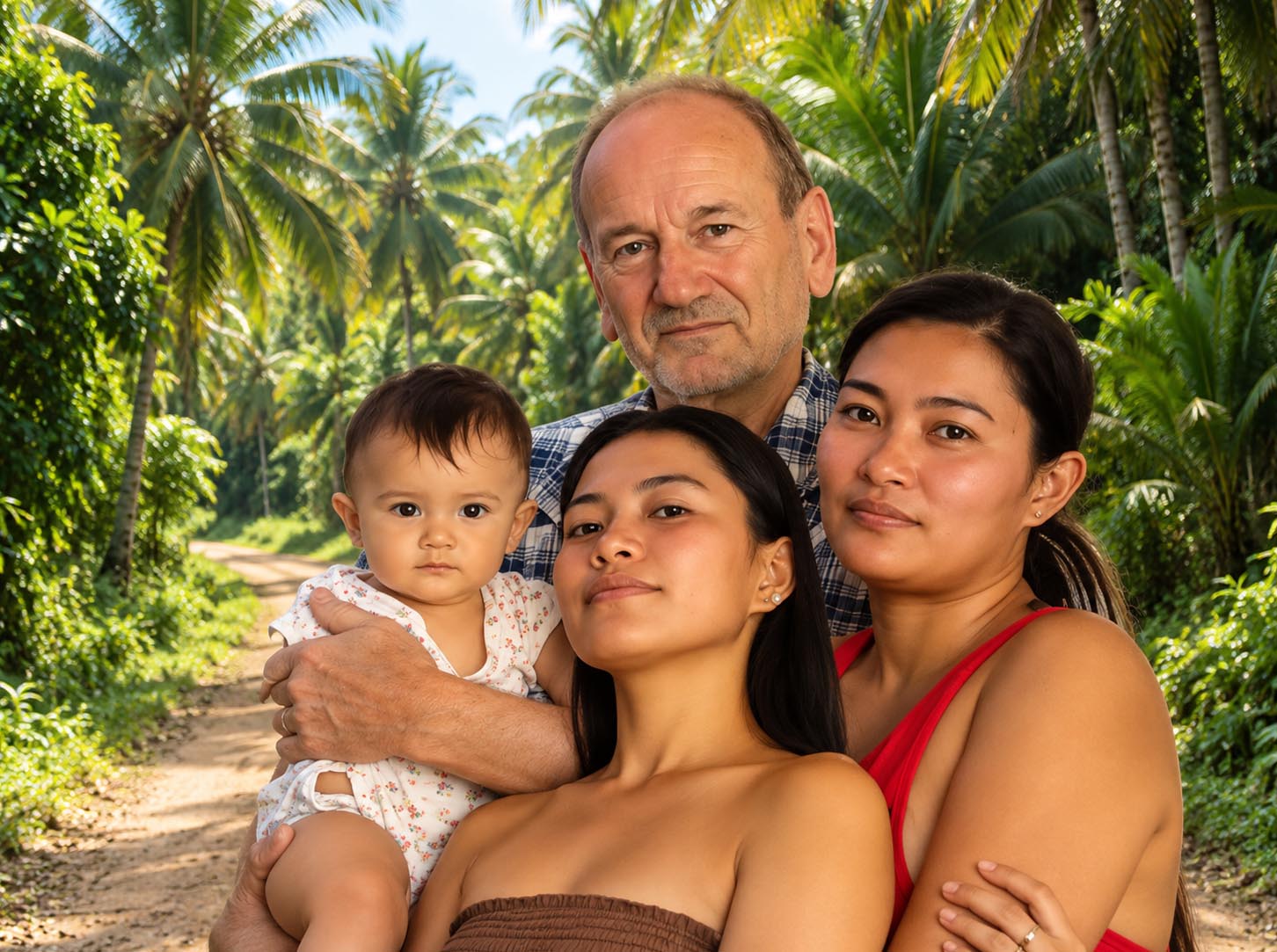
This image was one I made and ChatGPT polished!
BEFORE — Photoshop
AFTER — ChatGPT
Recently, I discovered FilmCraft, part of the ArtCraft project — a collection of seven open-source applications designed as alternatives to expensive creative software.
FilmCraft looks interesting, although I'm still investigating whether it could replace Shotcut in my workflow.
The wider ArtCraft family includes applications for image editing, vector illustration, photography, PDF work, motion graphics and page layout.
The ArtCraft project includes:
- PhotoCraft — image editing
- VectorCraft — vector illustration
- FilmCraft — video editing
- LightCraft — photography
- PrintCraft — PDF-related work
- EffectCraft — motion graphics
- DesignCraft — page layout
These are ambitious projects, and it will be interesting to see how they develop. As with any developing software, I would recommend checking which features are available before relying on them for important work.
You can explore FilmCraft at: https://getartcraft.com/apps/filmcraft
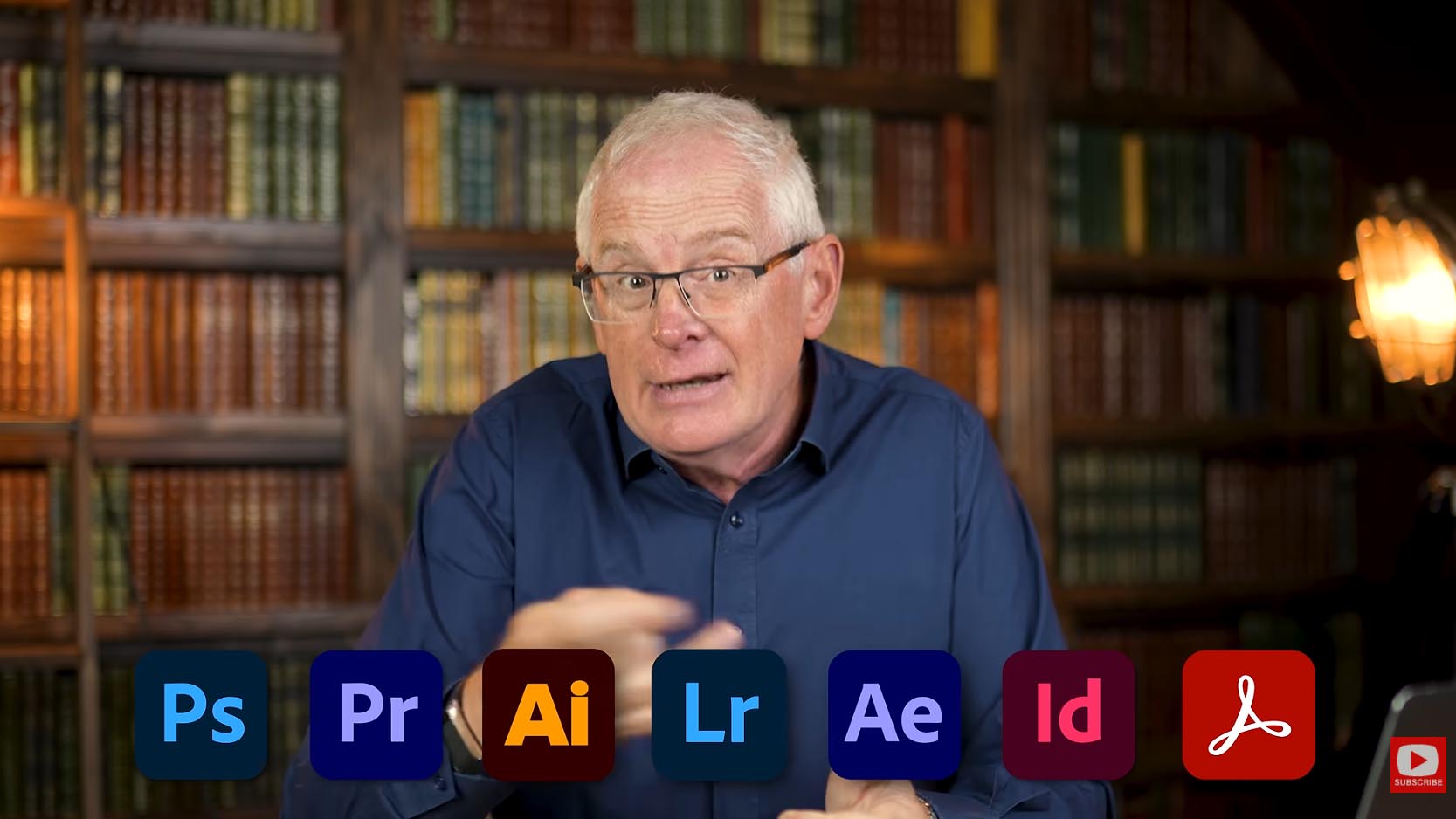
I originally discovered these applications through a YouTube video by Mark Tilbury discussing AI and creative software, which mentions ArtCraft.
Recording Your Computer Screen — Bandicam
Another useful programme I use is Bandicam, a screen-recording application that allows me to capture video and sound directly from my computer.
The free version allows recordings of up to 10 minutes at a time. In my experience, the recording quality is excellent.
I recently used Bandicam to record a four-minute extract from a YouTube video discussing ArtCraft. The resulting recording was of surprisingly good quality.
Bandicam is particularly useful for creating demonstrations and capturing activity on my computer screen. It's another example of useful software that I can use without paying a subscription.
Website: https://www.bandicam.com/
Creating Voice-Overs and Audiobooks
For narration, I use: https://mt.text-to-speech.online
This website allows me to convert written text into spoken audio using synthetic voices.
My preferred voice is Ryan, a British English voice whose clear and measured delivery I find particularly suitable for my stories.
I use Ryan for audiobook narration, promotional videos and other spoken material. I then assemble and edit the recordings in Shotcut, adding suitable pauses between chapters and checking the finished audio.
There is also a personal reason why this technology matters to me.
Following a stroke, my speech was affected, making it difficult to record clear narration in my own voice.
I had originally hoped to narrate my own books. Instead, text-to-speech technology has allowed me to continue producing audiobooks despite my impaired speech.
It isn't quite the same as having my own voice on the recordings, but it means that listeners can enjoy the stories.
And for that, I'm grateful.
Checking Spelling, Grammar and Scripts — ChatGPT
Writing a novel is one thing. Finding all the mistakes afterwards is quite another!
I use ChatGPT as an additional pair of eyes when checking spelling, grammar, punctuation and the consistency of my scripts.
It can help identify awkward sentences, repeated words and inconsistencies that are easily overlooked when you've read the same manuscript dozens of times.
I don't regard it as a substitute for the author.
The ideas, characters, stories and final editorial decisions remain mine.
Nor is ChatGPT infallible. It occasionally makes mistakes of its own, and I still check its suggestions before accepting them.
Used sensibly, however, it can be a valuable assistant, particularly for an independent author who doesn't have a team of editors and proofreaders available.
Converting Speech into Text — SpeechTexter
Another useful free tool worth investigating is: https://www.speechtexter.com/
SpeechTexter converts spoken words into written text.
For anyone who finds typing difficult, or who prefers to dictate ideas, this can be extremely useful.
It may also help people experiencing certain speech difficulties, although the results depend on how accurately the software can recognise their speech.
Having experienced speech difficulties myself, I appreciate the importance of technology that helps people communicate.
Sometimes the challenge isn't finding the right words in your head. It's getting them onto the page.
You Still Have to Do the Work!
There's one thing I should make clear.
Free software doesn't mean effortless results.
I've spent many hours learning how to use these applications, experimenting with different techniques, correcting mistakes and occasionally starting again when something hasn't worked.
Producing a good book cover takes thought. Editing a video requires patience. Preparing an audiobook means listening carefully, correcting pronunciation and ensuring that chapters flow naturally.
Technology provides the tools, but it doesn't remove the need for care and attention.
And, of course, the most important part of being an author remains the same as it always was: having a story worth telling.
The Bigger Picture
The exciting development isn't any single application. It's the fact that independent authors now have choices that simply didn't exist a few years ago.
You can write your own stories, check your manuscripts, create illustrations, produce audiobooks and make promotional videos without spending a fortune on professional software.
Some of my tools are more than 25 years old. Others are products of the latest developments in artificial intelligence.
I don't particularly care whether a programme was written in 1999 or 2026. What matters is whether it does the job.
I'm especially interested to see how the ArtCraft applications develop. If they fulfil their ambitions, they could become valuable additions to an independent author's toolkit.
The important thing is that the technology serves the author — not the other way round.
About the Author
Anthony Stovold is a British independent author whose novels explore family mysteries, hidden history and the lasting influence of the past, with several stories set in Bohol in the Philippines.
His books are available as eBooks, paperbacks and audiobooks through the Independent Authors' Library.
Explore the books and listen to free audiobook samples: